


Oxva Xlim SQ Pro Pod Kit
Oxva Xlim SQ Pro Pod Kit


Couldn't load pickup availability


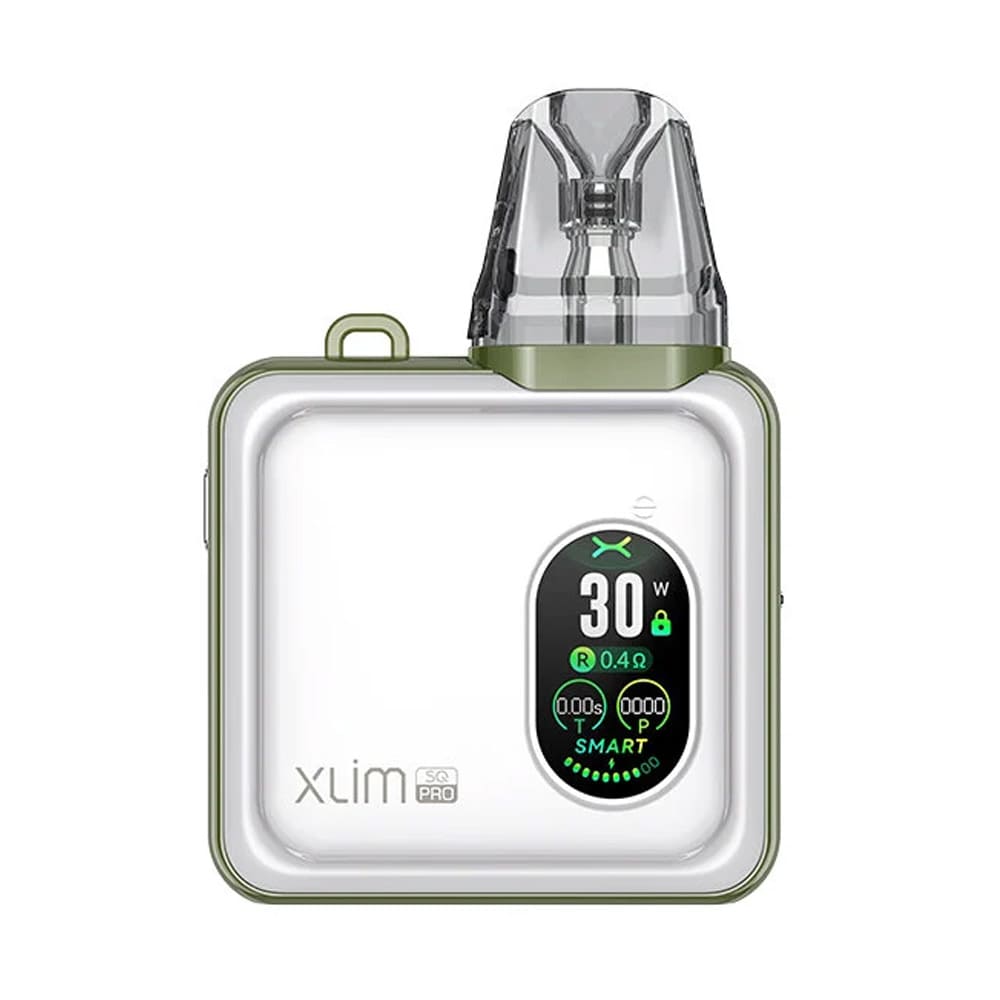
The Oxva Xlim SQ Pro Pod Kit is a square-shaped vape system built for vapers who desire a user-friendly device that doesn't compromise on features or aesthetics. Its unique square form factor, complemented by a premium zinc alloy body and a vibrant IML finish, feels classy and extremely lightweight to hold in the hand.
The Xlim SQ Pro is a powerhouse of performance featuring a large 1200mAh battery that provides lasting sessions compared to ordinary 500mAh or 800mAh batteries. This impressive battery life with a flexible output and different modes (Smart and Power) gives you complete control over your MTL/DTL vaping experience.
Moreover, the Oxva Xlim SQ Pro Pod Kit features a 0.96” TFT colour screen. This clear and bright display showcases all your vaping data and offers multiple dynamic themes for personalised theme settings. Click to find more from OXVA at Vapegala.
Delivery Services
The following delivery services are available for our customers: Royal Mail Tracked 24 and Next Working Day. All orders placed before 4 PM are dispatched on the same working day. If you require further assistance, please contact support@vapegala.co.uk.
Tracked 24 (1–2 Working Days)
The Tracked 24 delivery service costs £4.99 and usually takes 1 to 2 working days to arrive. To ensure next working day delivery, orders must be placed before 4:00 PM from Monday to Friday.
Royal Mail Tracked 48 (2–3 Days)
The service costs £3.99. Orders placed before 4 PM are dispatched on the same day, while orders placed after 4 PM are dispatched on the next working day. Delivery is usually within 2–3 working days after dispatch.
Next Day Delivery
Place your order before 4 PM, Monday to Friday, for delivery on the next working day. Orders placed after 4 PM on Thursday are dispatched on Friday and arrive by Monday. Orders placed after 4 PM on Friday are dispatched on Monday and reach you by Tuesday. Subject to bank holidays.
Unique Features of Oxva Xlim SQ Pro Vape Kit
Smart & Power Modes
The Xlim SQ Pro Pod kit offers two distinct modes to cater to every vaper's needs. Smart Mode automatically detects the installed pod's resistance and sets the optimal wattage, making it easy for beginners. For advanced users, Power Mode allows manual wattage adjustment from 5W to 30W to give you full control over your vapour and flavour intensity.

All-Around Xlim Pod
Oxva Xlim SQ Pro Pod kit offers exceptional versatility by being fully compatible with all pods in the Xlim series. For example, V2 side-fill pods, V3 top-fill pods, and even the pre-filled Xlim pods. This versatility gives you options for both Restricted Direct-to-Lung (RDL) and Mouth-to-Lung (MTL) vaping styles from a single device.

Large Battery
Equipped with a powerful 1200mAh built-in battery, the Xlim SQ Pro Pod kit is made for extended vaping sessions up to three days on a single charge. When it does need a boost, the 2A USB-C fast charging can fully recharge the device in just 45 minutes, so you spend less time waiting and more time vaping.

0.96” TFT Colour Screen
The Xlim SQ Pro Pod Vape System is a feast for the eyes with a large, full-colour screen that provides aesthetic visuals. Also, it gives a choice between three dynamic themes which add a fun, personalised touch to your device's interface.

How to Use the Oxva Xlim SQ Pro Pod Kit?
-
1
Step 1
Carefully remove your Oxva Xlim SQ Pro Battery Device, pods and other items from the packaging and inspect them for any breakage or other potential issues.
-
2
Charge the device
Connect the USB-C cable to the port on the device and a power source. The screen will display the charging progress, and it will automatically turn off once the battery is full.
-
3
Step 3
Locate the rubber cap on the top of the pod (for V3 pods and on the side for V2
-
4
Step 4
Pop open the cap to fill the 2ml pod with your e-liquid. Securely close the rubber cap and insert the pod back into the device.
-
5
Prime the coil
Wait at least 5-10 minutes for the e-liquid to fully saturate the coil, it helps avoid a burnt taste.
-
6
Power on the device
Press the fire button five times quickly to turn the device on or off.
-
7
Step 7
To enter the menu, press the fire button twice quickly.
-
8
Step 8
Long-press the button to switch between Smart and Power modes, or to change the display theme.
-
9
Step 9
Press the fire button three times quickly to adjust the wattage in Power mode. The wattage on the screen will begin to flash, and you can press the button to increase the wattage.
-
10
Step 10
The device supports button-activated vaping, press and hold the button while you inhale.
Key Features
| Feature | Details |
|---|---|
| Battery | 1200mAh |
| Output Power | 5-30W |
| Charging | USB Type-C, 5V/2A |
| Pod Capacity | 2ml |
| Pod Type | Prefilled, Refillable |
| Top-Fill Cartridge | 0.4/0.6/0.8/1.2 ohms |
| XLIM V2 Cartridge | 0.6/0.8/1.2 ohms |
| Screen | 0.96” TFT colour screen |
| Airflow | Adjustable side airflow control |
| Activation | Auto-draw & button-activated |
| Material | Zinc Alloy + IML + PCTG |
| Colours | Green Leather, Brown Leather, Black Leather, Black Carbon, Gold Carbon, Bronze Wood, Gunmetal Wood, Spring White, Mauve White, Pastel Pink, Gentle Blue |
| Dimensions | 77mm x 54.4mm x 20.4mm |
| Weight | 88g |

What's In The Box?
1 x Oxva Xlim SQ Pro Device
1 x Oxva Xlim V3 Top-Fill Pod (0.6Ω) (Pre-installed)
1 x Oxva Xlim V3 Top-Fill Pod (0.8Ω)
1 x USB Type-C Cable
1 x Lanyard
1 x User Manual
Why Choose Us?

Free UK Shipping on Orders Over £30
Spend over £30 and enjoy free shipping across the UK

Fully Compliant & Safe
All products comply with TPD and MHRA regulations, so that you can vape with confidence.

Friendly Customer Support Team
Got a question? Our dedicated customer support team is here to assist you.

Best Vape Deals in the UK
Save more with our vape deals to buy your favorite vape products from a variety of categories
Latest Reviews

Long Lasting
The mesh coil gives a really smooth vape, and the pods last longer than I expected

Two vapes in one
The twist-to-switch feature is brilliant. It's like carrying two vapes in one.

Highly Recommended
Compact, reliable, and the flavour stays consistent until the end. Highly recommend!
Totally love this kit
Excellent value for money. I love that I only replace the pods instead of buying a whole new device every time.
Frequently Asked Questions
